
Moving an HTTP app and PostgreSQL off Heroku means mapping how the app starts, how it receives configuration, and where its data lives. This guide uses KamuiDash as the destination. Rehearse on a separate URL and an empty database before scheduling the final cutover.
The guide uses official documentation and a local dump-and-restore check. The Heroku production migration and KamuiDash cloud restore were outside that test.
In this article
Inventory the services you need to move
| Heroku component | What to check |
|---|---|
| Web process | Runtime, dependencies, startup command and PORT |
| PostgreSQL | Version, extensions, capacity, permissions and connections |
| Config Vars | Secrets, runtime settings and build-time values |
| Workers, Scheduler and add-ons | Replacement service, queue and shutdown behavior |
| Email, Redis and files | Keep or migrate each dependency |
| Domains and webhooks | DNS, callback URLs, retries and switch order |
Map the Procfile to deployment commands
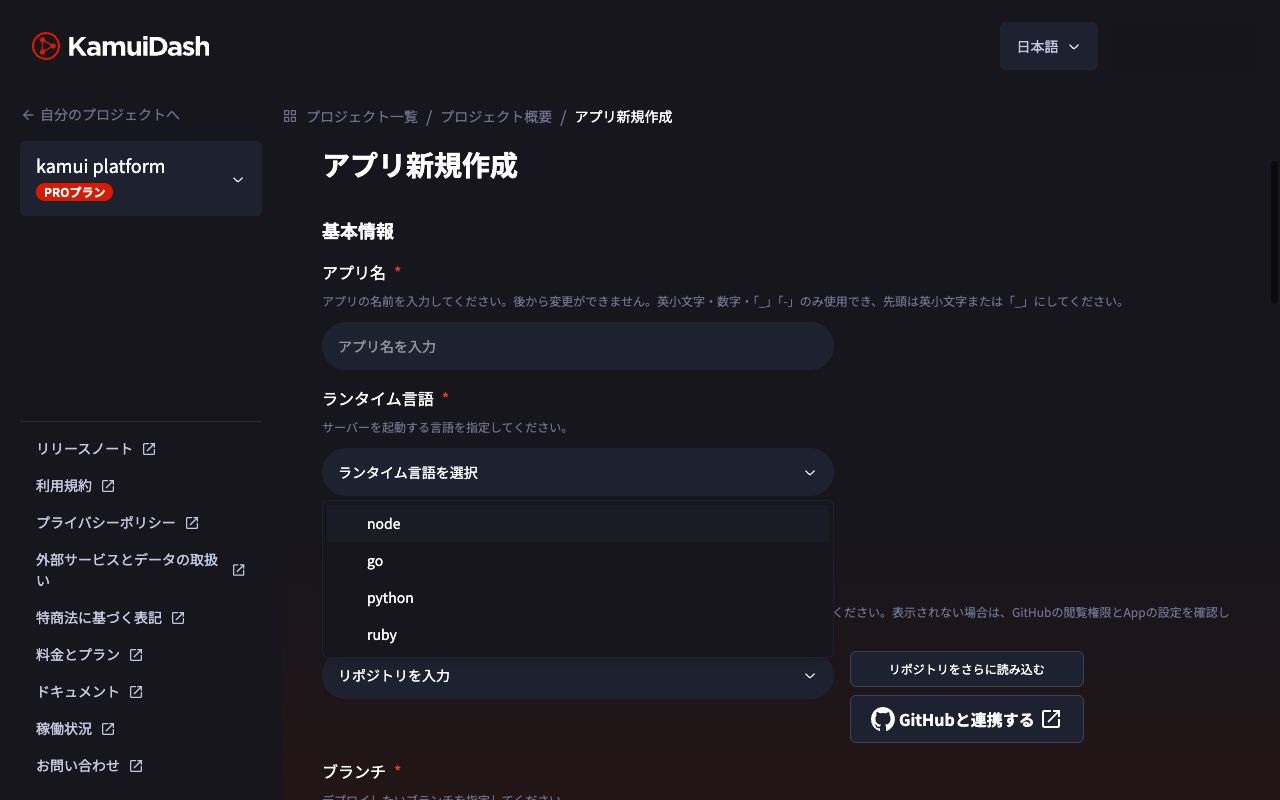
Heroku's Procfile declares process types. For a Node.js app, web: npm start starts the HTTP process and release: npm run migrate runs migrations during the release phase. On KamuiDash, specify setup (npm ci and any build command), pre-start work if appropriate, and startup (npm start). Listen on the supplied PORT and bind to 0.0.0.0. Verify when pre-start commands run and use a safe migration strategy if more than one replica can attempt the same schema change. Heroku Procfile
Move configuration by purpose
Replace the database connection with the destination's connection. Verify which database the new URL actually uses before testing writes. Check external email, authentication and payment integrations, as well as CORS and callbacks. Configure build-time settings separately where needed. Preserve signing and encryption keys when existing sessions or data depend on them. Heroku Config Vars
Rehearse the PostgreSQL restore on an empty target
Use a dedicated empty KamuiDash database with external access available on Pro. Install the KamuiDash CLI and PostgreSQL client tools. Initialize an external password for the new dedicated database if the CLI requests it.
kamui login
kamui db connect 'YOUR_PROJECT/YOUR_DATABASE'
In psql, run SELECT current_database(), current_user; to verify the target and exit with \q. The interactive command opens psql. If the running daemon does not list the target, wait for existing users to finish before restarting it, or start a tunnel from a separate environment. To run pg_restore, use the persistent local tunnel. Check the daemon status first and start it if needed.
kamui db daemon start
kamui db daemon status
Find the target's local port and the CA path reported by the CLI. The example uses the local TLS behavior checked with CLI 0.1.22. KamuiDash CLI · Connection implementation · Tunnel implementation
Capture and download the Heroku backup
Use the source attachment name in place of DATABASE_URL when it differs. Replace b123 with the capture ID. Confirm the backup is complete and belongs to the intended database before downloading. Use different output filenames for rehearsal and final cutover. Heroku recommends PGBackups for moderately loaded databases of 20 GB or less. For Advanced, use the appropriate logical backup procedure. Heroku PGBackups · Heroku logical backups
export HEROKU_APP_NAME='your-source-app'
heroku pg:backups:capture DATABASE_URL --app "$HEROKU_APP_NAME"
BACKUP_ID='b123'
heroku pg:backups:info "$BACKUP_ID" --app "$HEROKU_APP_NAME"
heroku pg:backups:download "$BACKUP_ID" --app "$HEROKU_APP_NAME" --output migration.dump
pg_restore --list migration.dump
Protect the dump as production data and keep it out of Git. Listing the archive is an initial check. Rehearse a restore before the production migration. Heroku export guide
Restore to the dedicated database
Add a service to ~/.pg_service.conf. Replace the example port, database name, user and CA file with the external connection details for your target. Keep the tunnel running and enter the password at the prompt.
[kamui-migration-target]
host=127.0.0.1
hostaddr=127.0.0.1
port=32000
dbname=YOUR_EXTERNAL_DB_NAME
user=YOUR_EXTERNAL_DB_USER
sslmode=verify-full
sslrootcert=/ABSOLUTE/PATH/SHOWN/BY/CLI/ca.pem
gssencmode=disable
Run SELECT current_user; through the destination app’s own database connection and replace YOUR_APP_DB_ROLE with that role name. Switching to that role lets the app own the restored tables and sequences. If SET ROLE fails, stop before restoring and confirm an authorized restore path with your database administrator.
psql 'service=kamui-migration-target' -W \
  -c 'SELECT current_database(), current_user, version();'

export KAMUI_APP_DB_ROLE='YOUR_APP_DB_ROLE'
psql 'service=kamui-migration-target' -W -v ON_ERROR_STOP=1 \
  -v "app_role=$KAMUI_APP_DB_ROLE" <<'SQL'
SET ROLE :"app_role";
SELECT current_user;
SQL

pg_restore \
  --role="$KAMUI_APP_DB_ROLE" \
  --dbname='service=kamui-migration-target' \
  -W \
  --no-owner --no-privileges \
  --exit-on-error --single-transaction \
  migration.dump
The restore skips source ownership and grants, so apply any permissions the app needs afterward. A single transaction avoids a partially applied restore on failure. Check extension support, client and server version compatibility, permissions, sequence values, and the duration and locks for larger databases. Use the same tunnel and test data to verify the route before the final migration. PostgreSQL pg_dump · PostgreSQL pg_restore
Verify the app and data at the new URL
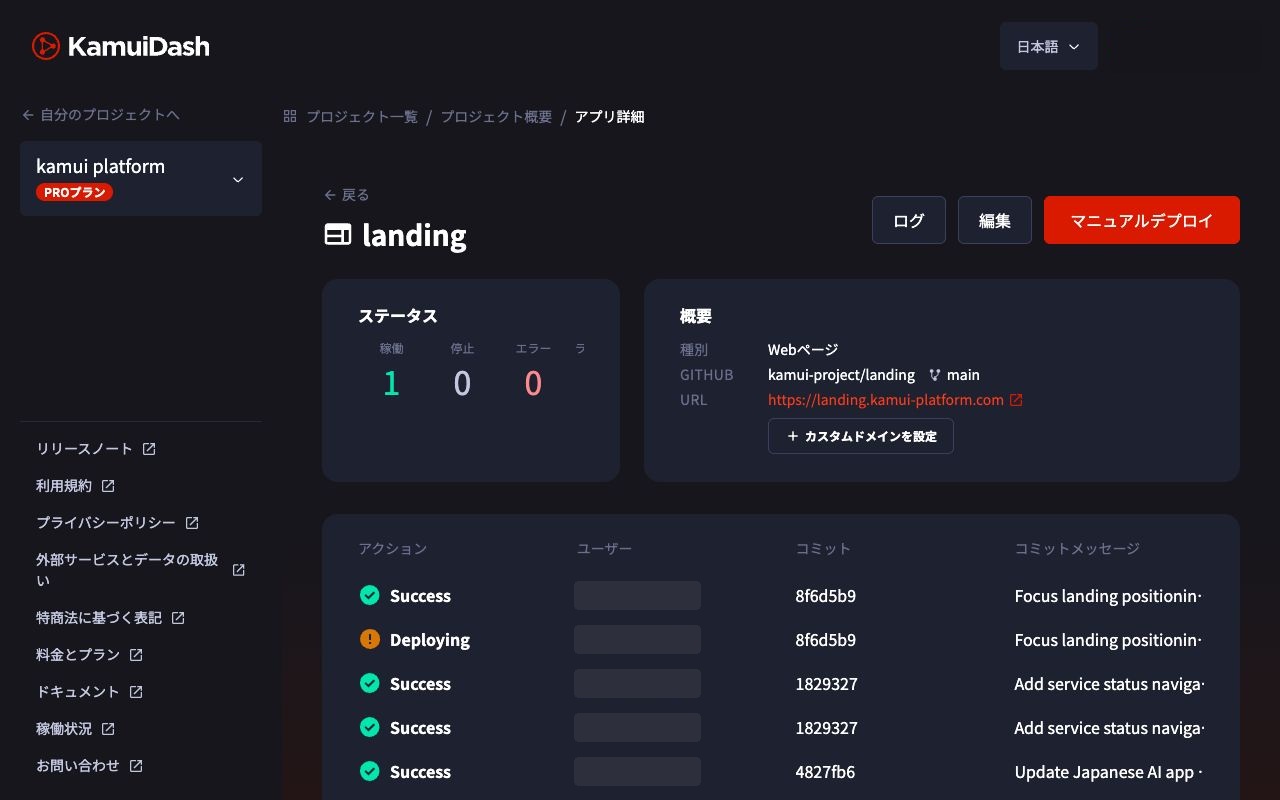
Check representative records, relationships, timestamps, ID sequences, login, writes and updates. Test file storage and external integrations separately.
Freeze writes before the final cutover
- Announce the maintenance window. Stop writes from the old app, jobs, webhooks and other clients.
- Capture a final backup and restore it to an empty database prepared for the cutover.
- Connect the new app to the final database and verify it while keeping writes paused on the old system.
- Switch the domain and webhook targets. Monitor residual traffic to the old service.
- Resume writes on the new system only.
Heroku maintenance mode blocks HTTP routing while dynos keep running. Fir apps need their own way to block writes because maintenance mode is unavailable. Record the current formation, stop jobs and workers that write, and let active transactions finish before capturing the final backup. Keep writes disabled on the new service too, including its default URL and jobs, and use read-only checks before the switch. Heroku maintenance mode
DNS caching can send requests to both services during the switch. If the app cannot pause writes, plan continuous synchronization and reconciliation. After new writes begin, rolling back requires preserving those changes as well as switching the URL. Decide the rollback deadline, how to pause writes, and how to reconcile the new data before starting.
Frequently asked questions
Do Heroku add-ons move with the app?
Inventory each add-on. Workers, mail, queues and schedules can require separate migration or configuration.
When should I run schema migrations?
Restore the dump to an empty database first. Match the application version to the restored schema and apply only the additional changes you need.
Does this apply to Ruby and Python?
The inventory and database steps apply. Adapt the dependency, build, start and migration commands to your runtime.
KamuiDash is a Tokyo-region PaaS for publishing web applications through GitHub and AI integrations.