
Once Claude Code has built your web application's screens, you may want other people to use it. A public URL is only part of that step. You also need to decide where input is stored, who can perform actions, and what to verify after a change.
This guide uses a small application that records inquiry subjects, descriptions, and handling status to work through creation, publication, and checks after updates. Start by including storage and verification requirements in the instructions you give the AI.
You can download the sample with its administration interface. It is a demo in which an administrator enters test data. It does not include a public inquiry submission form or email notifications.
In this article
- First define what users should be able to do
- Choose a publication method from the application's requirements
- Include storage, authentication, and runtime conditions in the request
- Example: connect Claude Code to KamuiDash
- Make the architecture and costs concrete before publication
- After deployment succeeds, check it as a user
- Give updates small, concrete acceptance criteria too
- Common questions
First define what users should be able to do
For this example, the first version is ready for checking once it supports four actions:
- Only the administrator can access the interface and API.
- The administrator can enter a subject and description.
- Each inquiry can switch between unhandled and handled.
- Records and status remain after the application restarts.
Refine the design after this flow works. Defining acceptance criteria first helps prevent the AI from adding too many features or declaring the work finished based only on appearance.
Before handling real inquiries, add user-specific authentication and permissions, backups, and a deletion policy appropriate to your use. The shared-password approach here is a small setup for learning with test data.
Choose a publication method from the application's requirements
Whether or not AI generated the code, choose a host according to the processing the application needs. First, ask Claude Code to explain whether it only delivers screens, performs server-side work, or stores records in a database.
| What the application needs | Publication options and official guides | What to decide |
|---|---|---|
| Delivery of HTML, CSS, and JavaScript | Cloudflare Pages or Render static hosting | Whether build-time static output is sufficient, and whether secrets stay out of browser code |
| An API or a server that reads and writes a database | Render Web Services or KamuiDash web servers | Runtime language, database connectivity, persistence, authentication, and ongoing cost |
| Cloud operations using containers | Google Cloud Run, for example | Whether builds, deployment, IAM, billing, and database connectivity fit your operations |
The static-hosting links are official examples for publishing Next.js static output. This inquiry-management sample uses Python for server-side processing and database writes, so static file delivery alone cannot run it. It needs a server and a database.
You can also let Claude Code write and check code locally, then publish manually through a dashboard without connecting the AI tool to the host. Prepare automation connections after choosing a destination. Later sections use KamuiDash as a concrete example with a Tokyo-region server and PostgreSQL.
Include storage, authentication, and runtime conditions in the request
The following request is a starting point for specifying persistence and checks, regardless of the destination:
Build a small application for managing inquiries.

There is one administrator. The interface should let them enter
a subject and description, list inquiries, and switch each inquiry
between unhandled and handled. Use test data only at first.

Use Python / FastAPI and PostgreSQL.
Do not store records in temporary application files.
Authenticate the interface and administration API, and validate input lengths.
Read secrets from environment variables. Do not include them in source code,
browser-delivered code, or logs.

Listen for HTTP on the PORT specified by the host and provide /healthz.
Show dependency installation, database initialization, and startup
as separate commands.

First check it locally, then show the code and check results.
Wait until the destination and costs are confirmed before saving to GitHub
or publishing the application.
This gives the AI concrete behavior and constraints. “Make everything production-ready” alone does not define what to verify. In particular, distinguish values that may reach the browser from secrets handled only on the server.
Running the sample locally
The attachment contains main.py, init_db.py, index.html, and requirements.txt. The administrator username is admin, and the password comes from DEMO_ADMIN_PASSWORD. SQL statements use parameters, and the list displays text through DOM textContent.
python3 -m venv .venv
source .venv/bin/activate
pip install -r requirements.txt

export DATABASE_URL='postgresql://demo_user:local_password@127.0.0.1:5432/contact_demo'
export DEMO_ADMIN_PASSWORD='local-demo-only-change-before-publication'
python init_db.py
python main.py
You need a dedicated empty PostgreSQL database. Opening http://127.0.0.1:8000/ prompts for authentication. Outside local use, access it over HTTPS. Basic authentication does not encrypt the password itself, so it relies on HTTPS to protect transport.
You can test with subjects and descriptions such as “Test inquiry” and “Check that this appears in the list,” without entering names or email addresses.
Example: connect Claude Code to KamuiDash
From here, the settings and requests are examples for publishing to KamuiDash. With another host, the same principles apply: check the architecture, costs, secrets, persistence, and authentication after publication.
The current KamuiDash connection guide describes adding KamuiDash through Customize > Plugins > Discover in Claude's web interface and syncing it to Claude Code using the same account. The guide specifies Claude Code v2.1.273 or later. API-key logins are outside this account-sync flow.
After adding it, open a new Claude Code session and follow the connection instructions. The official Claude Code plugin guide also describes plugins from a claude.ai account as a separate source. Claude chat connectors and Claude Code plugins have different entry points, so choose the one for the product you are using.
Start with a read-only request: “Show my KamuiDash projects.” Identify the account and project before choosing where to put the application. For publication from GitHub, the KamuiDash GitHub App also needs access to the target repository.
Make the architecture and costs concrete before publication
After the local version works, ask for a publication plan:
Show a plan for publishing this application to KamuiDash.
The project is <project name>, and the source is
<owner/repository> on <branch>.

Assume one web server replica and PostgreSQL.
Separate current base charges from other charges.
List the setup, pre-start, and start commands, health check,
database connection, and the names of required environment variables.
Do not show or read out the secret values themselves.
The sample uses the following settings. Creating a database and connecting it to the application provides DATABASE_URL.
| Setting | Example value |
|---|---|
| Type and language | Web server / Python |
| Setup | pip install -r requirements.txt |
| Pre-start | python init_db.py |
| Startup | python main.py |
| Health check | /healthz |
| Additional application environment variable | DEMO_ADMIN_PASSWORD |
| Database | Select the PostgreSQL database for the sample |
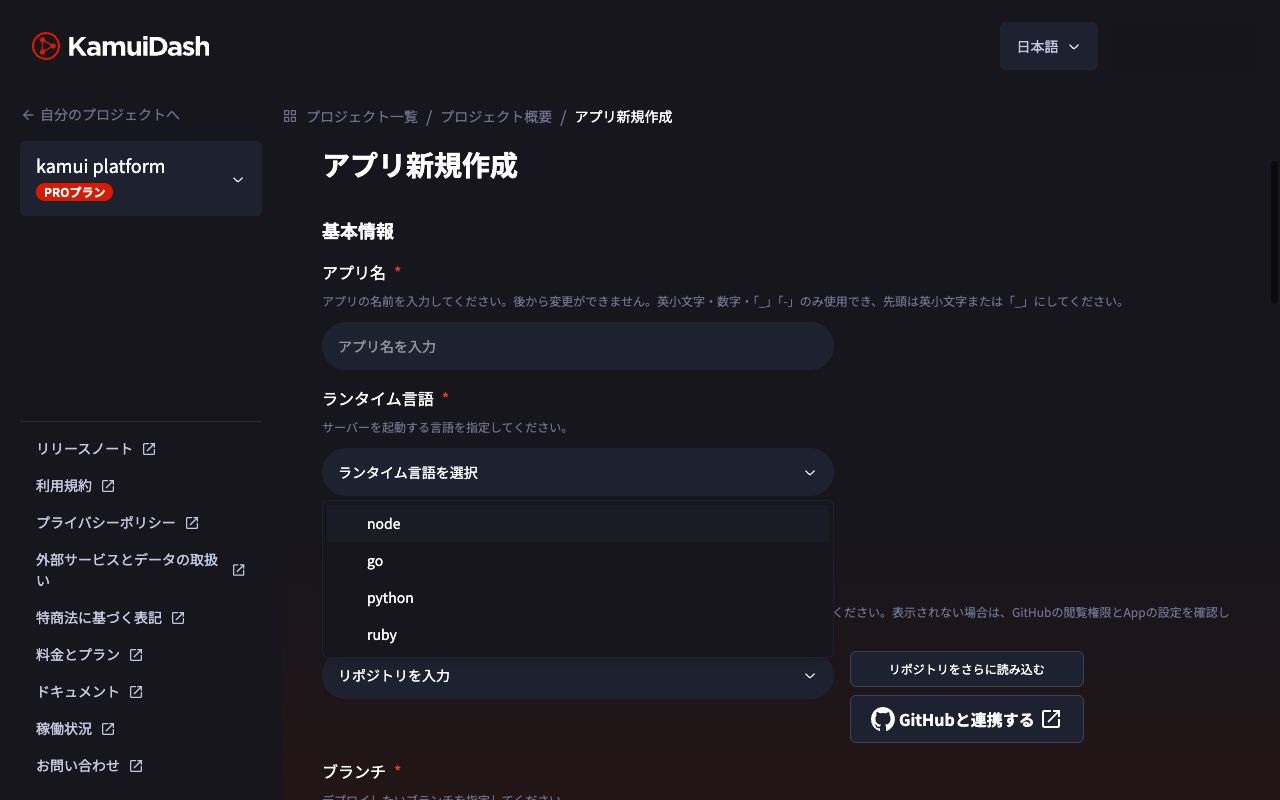
Set the administration password in the dashboard rather than pasting it into a chat. Separate operations available through the AI integration from secrets a person enters directly. See the KamuiDash AI connection documentation for the current integration specifications.
The AI tool's own usage fees are separate from application and database charges. Do not assume the hosting estimate includes them.
After deployment succeeds, check it as a user
A “successful” deployment status and a usable inquiry-management application are separate things to verify. Ask the AI to perform the following checks and distinguish what it could and could not complete.
| Check | Expected result |
|---|---|
| Open the interface without authentication | Authentication is requested |
| Access the administration API without authentication | Rejected with 401 |
| Register a test inquiry | Its subject and description appear in the list |
| Mark it as handled | The interface and database status are updated |
| Reload the page | The record and status remain |
| Open it after redeployment | The same data can still be read |
| Update a nonexistent ID | Returns 404 without changing another inquiry |
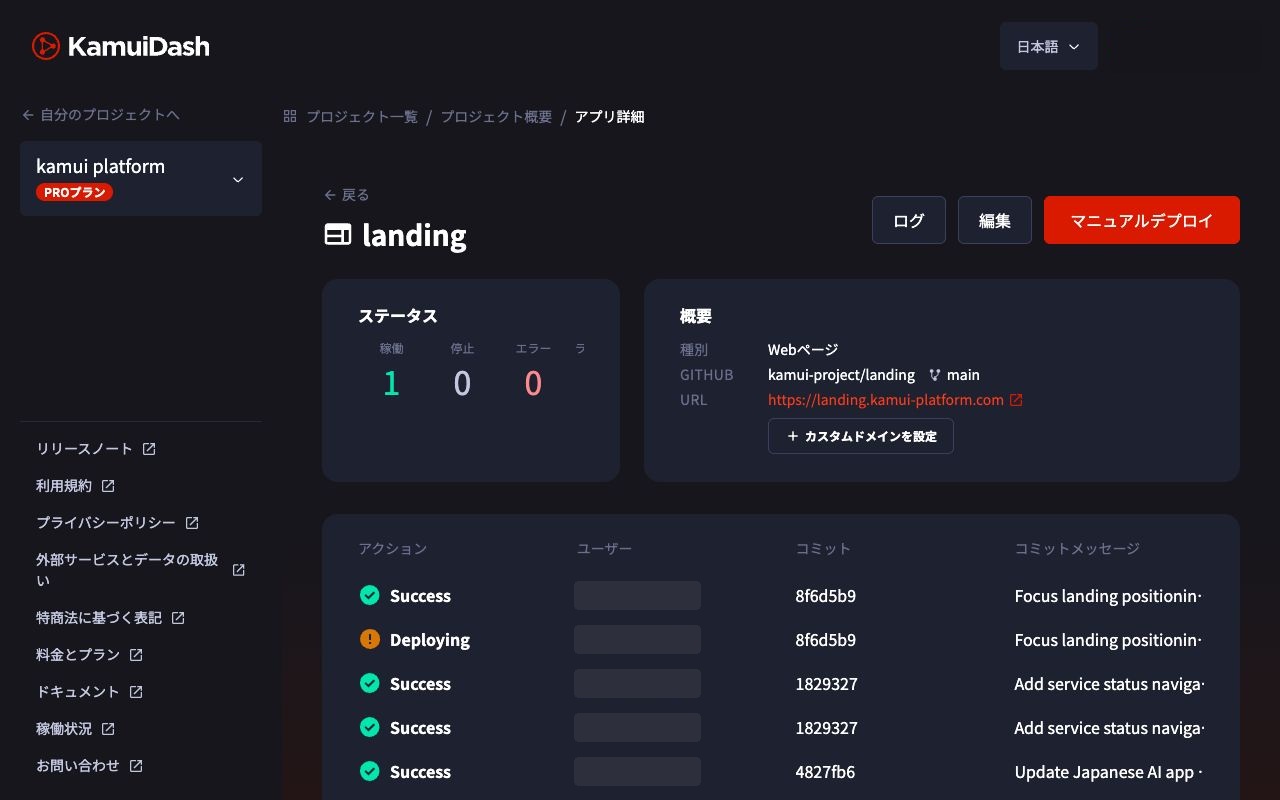
The sample's authentication, writes, status changes, and reads after a restart were checked locally. No new KamuiDash application was created or real inquiry data submitted for this article.
Give updates small, concrete acceptance criteria too
Once the first version works, you can narrow a change request like this:
Add a filter that shows only unhandled inquiries.
First check that registration, listing, and status changes currently work.
Preserve existing database records, and show the changes and how to check them.
After the update, verify that only unhandled inquiries appear,
marking an inquiry as handled removes it from that filtered list,
and it still appears in the full list.
For a bug, provide the URL, action, time, and error symptoms. A small reproducible description is more useful than “It doesn't work; rebuild everything.” Shared logs do not need to contain credentials or inquiry text.
Common questions
Can I leave this to AI without understanding the code?
AI can create the initial structure, but you should still check what becomes public, who can access it, and where data is stored. Simply separating the interface, API, and database makes those checks more concrete.
Can this accept real inquiries as it is?
The attachment is an administrator demo. It has no public submission form, spam prevention, notifications, or per-user permissions. Adding a submission form also requires designing separation from the administration API and limits on input and submission frequency.
What if I cannot use the plugin?
Let AI write and check code locally, then connect GitHub and create the application through the dashboard. Changing the connection method does not change the persistence and post-publication checks.
Expand AI requests from the shape of the screens to what a user should be able to complete. Using the same criteria after publication connects building the application with maintaining it.
Connection specifications and pricing checked on November 2, 2026. Entry points can change, so consult the latest guide when adding the connection.
Related guides
KamuiDash is a Tokyo-region PaaS for publishing web applications through GitHub and AI integrations.