
Contents
- Four ways to run a web app in the Tokyo region
- Run your web app and PostgreSQL together in Tokyo with KamuiDash
- Decide what needs to run in Tokyo
- Verify the Japan region
- Narrow your shortlist by application type
- Estimate the app and database under the same conditions
- Frequently asked questions
- What to check before choosing
- Related articles
Fly.io, Vercel, Koyeb, and KamuiDash can run web applications in Tokyo. If you also want PostgreSQL in the Tokyo region of Japan, check whether you can create it alongside your app or need a separate database provider.
If you want to keep the app and database in Tokyo and start small from GitHub, consider KamuiDash. You can manage a web server and managed PostgreSQL in one project. The Nano setup starts at US$9 in base fees per 30 days for both, before tax and usage charges. KamuiDash pricing and plans
When someone submits a booking form, the server checks availability, saves the booking, and returns the result. If your app runs in Tokyo and your database is overseas, those database calls cross regions. Check where the app runs and where the database lives before narrowing your shortlist.
Four ways to run a web app in the Tokyo region
We checked the official documentation on November 4, 2026. The comparison covers web applications that handle requests on the server, paired with managed PostgreSQL. The links in each row cover locations and pricing. See how to verify the Japan region before deploying.
On a narrow screen, scroll the table horizontally.
| App platform | Where the app runs | Where PostgreSQL runs | Starting costs |
|---|---|---|---|
| Fly.io | Run Fly Machines in Tokyo, nrt. Fly.io regions |
Fly.io Managed Postgres is also available in nrt. Managed Postgres regions |
Managed Postgres Basic is $38/month plus storage. Calculate the app cost using Tokyo Machine rates and runtime. Database pricing · App calculator |
| Vercel | Set Vercel Functions to Tokyo, hnd1. Function regions · Tokyo usage rates |
Use an external database. For example, select the specific Tokyo region ap-northeast-1 on Supabase. Vercel Postgres integrations · Supabase regions |
Vercel Hobby plus Supabase Free can work for personal, non-commercial projects. Supabase Free may pause after low database activity over seven days and has no automatic backups. A paid example is $45/month in base fees for Vercel Pro at $20 with one deploying seat and Supabase Pro at $25 with one Micro project. Extra usage is separate. Hobby terms · Pro pricing · Supabase pricing · Pausing |
| Koyeb | Deploy a web service in Tokyo, TYO. Koyeb regions |
Koyeb Database Services does not list Tokyo. Use a Tokyo database from another provider such as Supabase. Koyeb database regions · Supabase regions | The free web instance is unavailable in Tokyo. The listed price for one paid Standard Nano instance is $2.68/month. The external database and other charges are separate. Tokyo Standard availability · Instance pricing · Supabase pricing |
| KamuiDash | Web servers run in Tokyo. App and database locations | Create managed PostgreSQL in the same project. It also runs in Tokyo. App and database locations | On the individual Pro plan, one Nano web replica at $3 plus one Nano database at $6 costs US$9 per 30 days in base fees, before tax and usage charges. A 30-day trial covers base fees for eligible apps and databases. Continued use requires Pro. Base pricing and trial · Plan details |
Prices use each provider’s own billing units. The examples differ in capacity and backup coverage, so check what each plan includes.
Run your web app and PostgreSQL together in Tokyo with KamuiDash
For a small FastAPI or Express booking app, KamuiDash lets you create a web server and managed PostgreSQL in the same Tokyo project. Connect a GitHub repository and pushes to the selected branch trigger a redeploy. The app stays running when there is no traffic, so a returning visitor does not have to wait for it to wake from an idle shutdown. KamuiDash features and FAQ
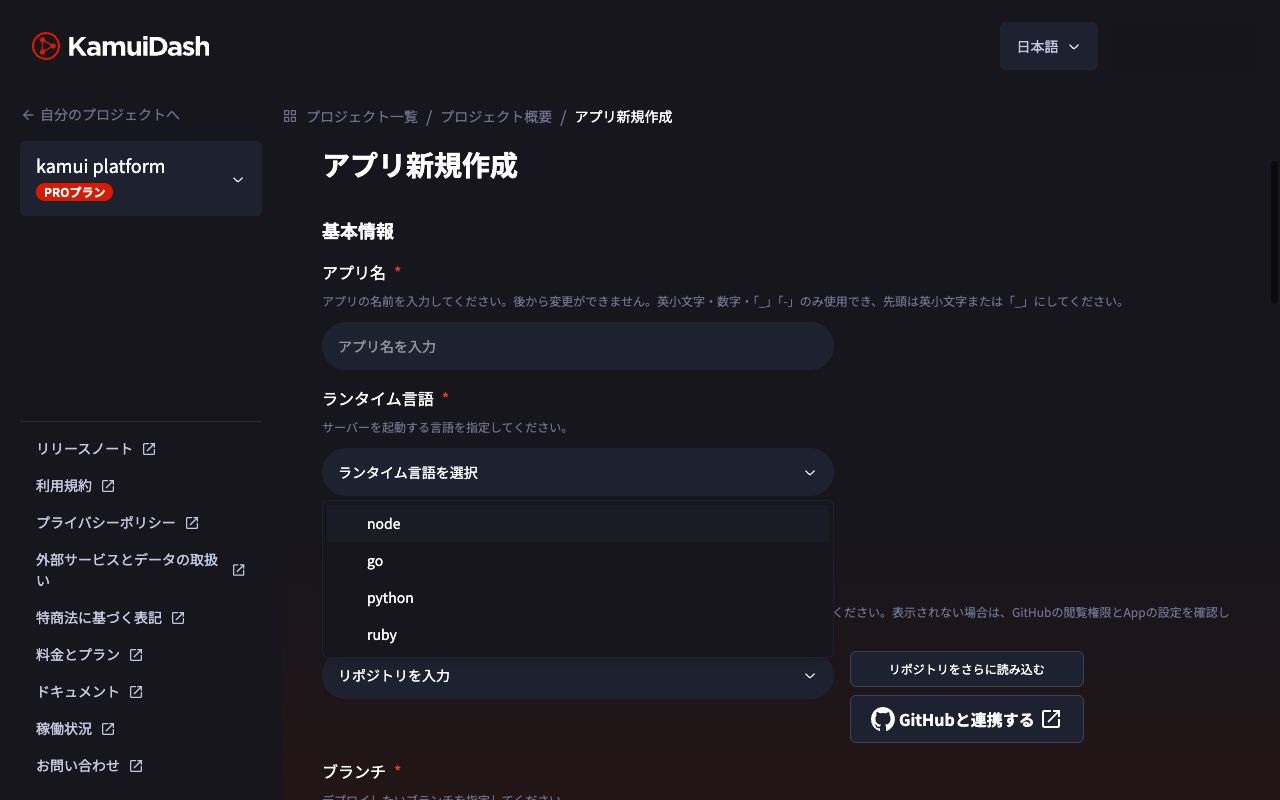
One Nano web server and one Nano database cost US$3 and US$6 in base fees, respectively, for 30 days. Base fees still apply while they run without traffic, and usage charges are calculated separately. To see the steps, read Deploy FastAPI and PostgreSQL on a Server in Japan. KamuiDash pricing
Decide what needs to run in Tokyo
A PaaS provides an environment for running your web application. The amount of setup and operations the platform handles varies. A region is a geographic area where applications or data reside. PostgreSQL is a database you can use to store bookings, accounts, and other records.
A content delivery network, or CDN, can serve copies of images and CSS from different places. Logging in or creating a booking requires server-side code and database access. A Tokyo CDN endpoint and application execution in Tokyo are separate settings.
If data residency is a requirement, check backups, logs, uploaded files, and failover destinations as well as the app and primary database. Services can store these resources in different locations.
Verify the Japan region
Select Tokyo for both the app and PostgreSQL wherever the region is configurable. If there is no region setting, check the provider’s documentation for where the app runs and the database is stored. The code varies by platform. Fly.io uses nrt, Vercel uses hnd1, and Koyeb uses TYO. If you use an external database, select Tokyo with that provider as well.
Narrow your shortlist by application type
An app you already package as a container
Consider Fly.io if you have a containerized app and want to choose the Machine size and placement yourself. Fly Machines
A Next.js app that needs server-side code in Tokyo
New Vercel projects default to iad1 in the United States. Set the functions that connect to your database to Tokyo (hnd1), then choose Tokyo with the database provider. If you run Next.js as a Node.js server, you can also consider the web server platforms in the table. Vercel Function regions · Vercel Postgres integrations · Next.js deployment options
Estimate the app and database under the same conditions
For a small booking app, start with one web app and one PostgreSQL database for 30 days. Decide how much database storage you need, how long to keep backups, and whether the app must stay running. Use those same assumptions when checking each provider’s pricing.
Instances, runtime, and requests
Database instance, storage, and backups
Outbound transfer and a load balancer if needed
The KamuiDash Nano app and database have a combined base fee of US$9 per 30 days. On Fly.io, Basic Managed Postgres with 10 GB of billable storage for 30 days costs $40.80 for the database ($38 plus $2.80), with the Tokyo Machine billed separately. Fly.io’s database plan includes high availability and backups. KamuiDash pricing · Fly.io database pricing
Frequently asked questions
Does Render have a Tokyo region?
As of November 4, 2026, Tokyo does not appear in Render’s web service or data store locations. Singapore is the option in Asia. Static sites use a global CDN. If Tokyo is required, use the table to find a setup where both dynamic processing and the database can run there. Render regions
Will hosting in Tokyo make my app faster?
Moving workloads closer can shorten network round trips. Response time also depends on database queries, app startup, and external APIs. Test a page load and operations that use the database, such as creating or listing bookings, from a location close to your users.
What to check before choosing
If Tokyo is required, start with a platform that fits how your app runs. Then verify the region when creating PostgreSQL. Decide how much startup delay you can tolerate and estimate the cost of running the app and database for 30 days. Try a small data set with your finalists and compare what it takes to connect, write, and read it.
Related articles
- Where should you run a web app and PostgreSQL?
- How much does a side-project web app and database cost?
- VPS or PaaS for a side-project web app?
KamuiDash is a PaaS for deploying web apps from GitHub and pairing them with managed PostgreSQL in Tokyo.